Why The Real Microsoft Login Page Can Still Be Dangerous
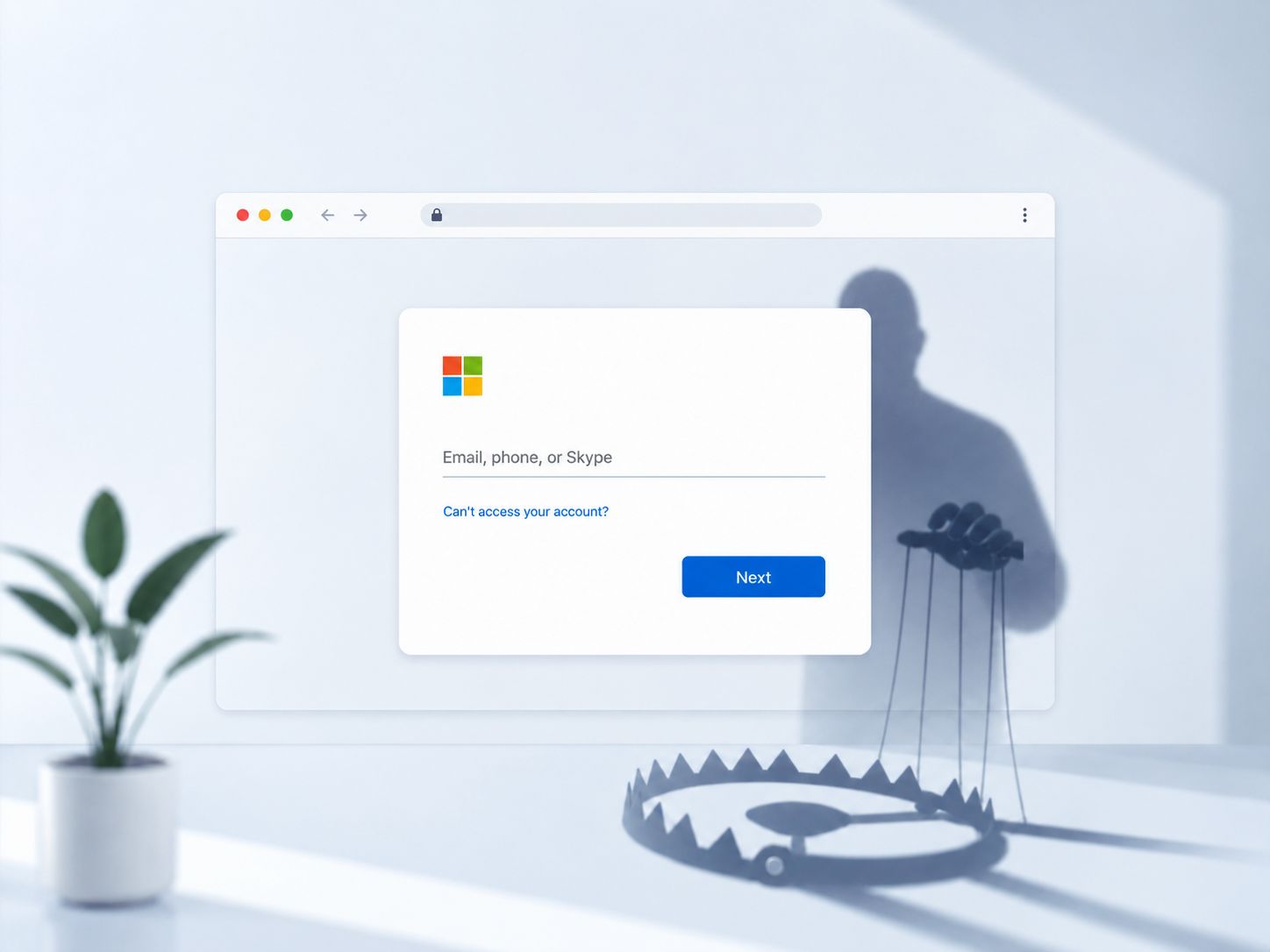
A real Microsoft login page confirms that Microsoft is real. It does not confirm that the person who sent you there has good intentions. That is the uncomfortable part. Cybercriminals no longer always need to build fake doors. Sometimes they simply convince us to open the real door for them. So the question is no longer just, “Is this the real Microsoft page?” The better question is, “What is this login trying to make me approve?”
There was a time when cybersecurity advice was simple.
“Check the link.”
“Look for spelling mistakes.”
“Make sure the website is real.”
“Don’t enter your password unless you see the padlock.”
Beautiful advice. Clean advice. The kind of advice that sounds very wise until the attacker also attends the same cybersecurity awareness training, takes notes, drinks tea, and decides to improve their business model.
Because here is the uncomfortable truth: sometimes the Microsoft login page is real.
Yes. Real-real. Not “Microsoft” with one missing letter. Not “micros0ft-login-security-update-free-antivirus-dot-something.” Not a page designed in 2007 by someone who thinks Arial font is a personality.
The page can be the actual Microsoft login page.
The logo is correct. The URL may look right, and in some consent or device-code attacks, parts of the flow may genuinely happen through Microsoft’s own login infrastructure. The password box behaves normally. Multi-factor authentication may even appear exactly as expected, especially in attacks designed to relay or abuse the authentication flow.
And yet, you may still be walking into a trap.
This is where many people get confused, because we have trained users to think in very binary ways. Fake page equals danger. Real page equals safety. Bad English equals scam. Good branding equals trust. Strange URL equals problem. Familiar login equals peace.
But cybercriminals have moved from childish forgery to strategic manipulation. They no longer always need to build a fake Microsoft door. Sometimes they simply convince you to open the real door — for them.
That is the part we must sit with.
A real login page confirms that Microsoft is real. It does not confirm that the person who sent you there has good intentions.
Let us bring this home.
Imagine someone sends you to a real bank branch in Kampala Road. The building is genuine. The tellers are real. The security guard is standing there looking serious. The air conditioning is doing its best. But the person who brought you there is standing outside, waiting for you to withdraw money and hand it to them.
Would you say, “But the bank was real, so everything was safe”?
No, my dear. The bank was real. The setup was the problem.
That is exactly how some modern Microsoft login attacks work.
The attacker’s goal is not always to steal your password directly. Sometimes they want you to approve access. Sometimes they want you to consent to a malicious app. Sometimes they want to capture the session or authorization tokens created around a successful login. Sometimes they want you to enter a code that connects your account to their device.
In simple terms, they are not always stealing the key from your pocket.
Sometimes they are convincing you to open the gate, smile at the guard, and say, “It’s okay. This one is with me.”
This is why “but the login page was real” is no longer enough comfort.
A common version of this is consent phishing. You may be asked to sign in with Microsoft to use a document, access a report, join a collaboration tool, review a policy, approve an invoice, or open something that sounds painfully work-related.
After login, you are shown a permissions request. It may ask to read your profile, access your email, read files, maintain access, or perform actions in the background.
And because most of us are busy, tired, and already mentally fighting six meetings, school fees, fuel prices, and that one person who says “kindly revert” with spiritual violence, we click Allow.
Not because we are careless.
Because the screen looked normal.
Because the request sounded official.
Because the sender seemed familiar.
Because Microsoft appeared in the process.
Because we have been taught to fear fake pages more than dangerous permissions.
That is where the real lesson begins.
In today’s threat landscape, the login page is not the whole story. The question is not only, “Is this Microsoft?” The better question is, “What is this login trying to make me approve?”
Because Microsoft can authenticate you successfully while you are still making a bad security decision.
That sentence is painful, but necessary.
Authentication only proves who you are. It does not automatically prove that the action you are taking is safe.
Think of it like signing a document. Your signature may be genuine. Your national ID may be genuine. The pen may be genuine. The table may even be from a very respectable office. But if the document says you are handing over your land, your goat, and your future salary until 2047, the problem is not the pen.
The problem is what you agreed to.
The same applies online.
When you see a Microsoft login page, pause and ask: Did I expect this? Did I initiate this action? Do I understand why I am being asked to sign in? What permissions are being requested? Is this app known to my organization? Why does a document viewer need to read my mailbox? Why does a meeting invite need long-term access to my files?
And please, watch urgency.
Attackers love urgency. It is their seasoning. Without it, many scams would taste flat.
“Your mailbox will be disabled.”
“Your password expires today.”
“Your document is waiting.”
“Your account has been restricted.”
“Your Teams message could not be delivered.”
“Please review urgently.”
In workplaces, urgency works even better because we are trained to respond quickly. Nobody wants to be the person delaying the director’s document. Nobody wants to ignore a finance request. Nobody wants to miss a compliance deadline. So we click first and think later.
Unfortunately, attackers know our office culture very well. They know the language of approvals, policies, invoices, shared folders, HR notices, audit findings, and “as discussed.”
Some of these emails no longer look like the village scammer who has inherited gold from a prince. They look like work. Boring, normal, Monday-morning work. Which is exactly why they are dangerous.
So what should ordinary people do?
First, stop treating login as the finish line. Logging in is only one part of the journey. After login, pay attention to what happens next. If you are asked to approve permissions, read them. Not with the tired eyes of someone just trying to clear notifications, but with the suspicion of someone counting change at a taxi stage.
Second, do not approve access for apps you do not recognize. Especially if the app is asking for email, files, contacts, calendar, or long-term access. Those are not small things. Your mailbox is not just email. It is your identity warehouse. It contains password resets, invoices, contracts, school communications, family conversations, receipts, and sometimes secrets you forgot were secrets.
Third, be careful with links that arrive unexpectedly, even if they lead to a real login page. The issue is not only where the link lands. The issue is why you were sent there, who sent it, and what action it asks you to complete.
Fourth, where possible, use another route. Open your browser and go to the service directly. Open Teams directly. Open SharePoint directly. Open Outlook directly. If the document or request is genuine, it should usually be accessible from the official app or portal without needing to trust a random link that arrived like an emergency from nowhere.
And for organizations, please, let us stop dumping the whole burden on users.
Awareness is important, but awareness alone cannot carry the whole sack of charcoal. IT and security teams must configure consent controls, monitor suspicious applications, review risky permissions, limit who can approve third-party apps, and detect strange sign-ins or token activity.
Users should be educated, yes. But systems should also be designed assuming users are human beings, not robots with unlimited attention and perfect judgment.
This is where human-centered cybersecurity matters.
People are not failing because they are foolish. Many are failing because the digital world keeps asking them to make high-risk decisions through tiny pop-ups, vague permissions, rushed emails, and official-looking workflows. Then when something goes wrong, we gather in meetings and say, “The user clicked.”
Of course the user clicked.
The system trained them to click.
Every day, we ask people to accept cookies, approve access, sign into portals, verify accounts, install updates, review documents, join calls, reset passwords, and respond urgently. Then we act shocked when attackers hide inside that same routine.
The real issue is not that people trust Microsoft.
The issue is that attackers understand how trust works.
They understand that familiar brands lower suspicion. They understand that real login pages feel safe. They understand that tired employees do not read permissions carefully. They understand that people fear being late more than being phished. They understand that when something looks official enough, many of us will obey.
That is why the future of cybersecurity awareness must move beyond “spot the fake logo.”
We must teach people to question the request, not just the page.
Who is asking?
Why now?
What am I giving access to?
Did I initiate this?
What happens after I click Allow?
Does this app deserve the permissions it is requesting?
Because sometimes danger does not arrive wearing a mask.
Sometimes it arrives wearing Microsoft branding, proper grammar, and a very calm blue button.
The page may be real.
The login may be real.
The danger may also be real.
So the next time you see a Microsoft sign-in page, do not panic. But also do not relax completely. Pause. Read. Question the request.
Cybersecurity is no longer just about knowing whether the door is genuine.
It is also about knowing who is asking you to open it — and what they plan to do once they get inside.
Comments
Comments are moderated. Your email is kept private.
Loading comments…